Twenty-one simulations and no server
What building Emergence taught me about making scientific software that people will open, understand and trust.
Emergence is a collection of twenty-one interactive simulations that run in the browser: flocking birds, traffic jams, an epidemic, a magnet losing its magnetism, fluid flowing past a cylinder, the spirals in a sunflower head. Each one shows the same idea from a different direction. Simple rules, applied locally and repeated, produce behaviour that nobody wrote down.
I built it as a showcase, and these are textbook systems, not client work. But the problems I had to solve are the ones every scientific tool has. A model is only useful to the people who can run it, and most people cannot run a script. This is what I learned making twenty-one models that anyone can.
Open in a state worth looking at
Early versions opened paused, waiting for someone to press Play. That is how a developer thinks: here is the machine, start it. A visitor sees a still rectangle and leaves.
Now each one opens already running its most interesting case. Fluid Flow opens with a wake peeling off a cylinder. The sunflower opens growing. Nobody has to know what a good starting condition is before they have seen anything.
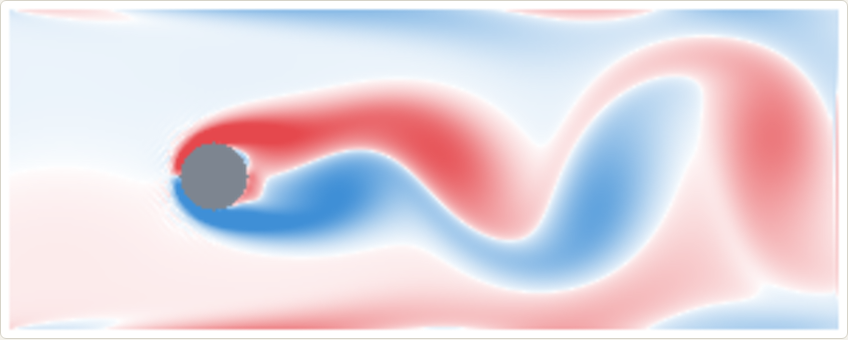
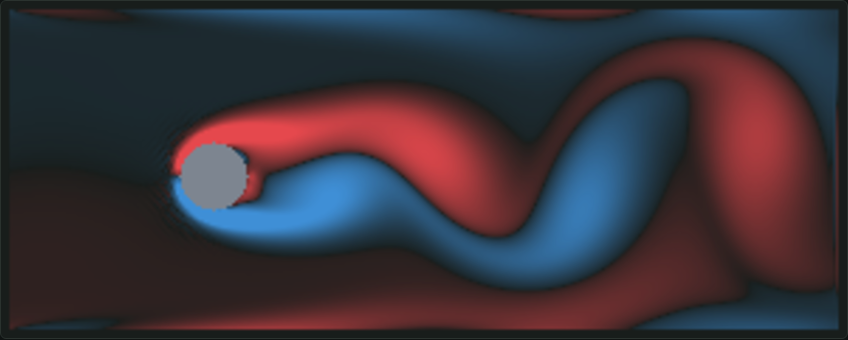
The same goes for a research tool. If the first screen is a form with fourteen empty fields, the tool has already lost the colleague you built it for. Ship it with a worked example loaded.
Every claim is a test
Each simulation has a short explanation beside it, with buttons that set up a demonstration. The explanations make claims. A tenth of a degree away from the golden angle, a sunflower’s seeds fall into separate arms. Thicken the fluid and the wake goes steady. Vaccinate half the people and the other half are protected too.
It is easy to write a sentence like that from memory and be wrong. So wherever the text makes a claim the model can check, there is a test that runs the model and checks it. The sunflower test grows six hundred seeds at the golden angle and counts the spirals: 34 one way and 55 the other, neighbouring Fibonacci numbers. Then it moves the angle a tenth of a degree and confirms that only one set is left.
There are more than a thousand tests in all. More than once they caught the documentation, not the code: I had written what I expected the model to do, and the model did something else. In scientific software the explanation is part of the product, and it deserves the same checking as the arithmetic.
Keep the model away from the interface
Every simulation is a plug-in with two halves. One is the model: plain functions that take a state and return the next one, with no knowledge of screens, buttons or time. The other describes itself to the app in a small, fixed vocabulary:
interface SimulationInstance {
  step(): void;
  draw(context, width, height, theme): void;
  reset(): void;
  pointer(input): void;
  stats(): Stat[];
  controls: Control[];   // sliders, dropdowns, tickboxes, buttons
  docs: DocSection[];    // text, equations, demonstrations
}
The app itself knows nothing about any particular simulation. It draws whatever controls it is handed, calls step at the chosen speed and shows the numbers that come back.
That split paid for itself repeatedly. Adding the twenty-first simulation meant one new folder and one line in a list. Making the whole thing work on phones meant changing the app once, and every simulation followed. When I rewrote the fluid solver to run faster, I could compare the new version with the old one cell by cell and confirm the results were identical, because the solver had never been tangled up with drawing.
This is the same separation a research group needs between its solver and whatever sits in front of it. The model should not know it has a user interface. Then the interface can change, or be replaced, without anyone re-deriving the physics.
Know what a frame costs
Fluid Flow uses the lattice Boltzmann method on a grid of 36,000 cells. Each cell holds nine numbers, the solver takes ten steps for every picture drawn, and it draws sixty pictures a second. That is over twenty million cell updates a second, in a browser tab, on one processor core.
It fits, but only just, and only because I measured. Doubling the grid’s resolution sounds like four times the work. It is eight, because a finer grid also needs more steps to cover the same distance. The honest choice was a grid one and a half times finer, drawn with smooth blending between cells, which looks far better than the numbers suggest.
Interactive scientific software always has a budget like this. A slider that takes four seconds to respond is not interactive, whatever the model behind it is worth.
No server
Nothing in Emergence talks to a backend. The models run in the visitor’s browser, so there is no queue, no login, no cold start and nothing to keep running. The whole app is smaller than a single photograph.
Not every model can do this. Some need a cluster and always will. But many research codes are small problems wrapped in heavy installations, and far more of them could run in a browser than their authors assume. When that works, sharing a model becomes sending a link.
What it is for
Each simulation ends with a short section on where it leads: what real phenomenon it illustrates, why it is a sound base for something larger, and what the full-scale version is used for. The lattice Boltzmann method in Fluid Flow is the one used, in three dimensions, to compute the drag on a car and the flow through scanned rock.
That is the point of the whole exercise. The distance between a textbook model and a working tool is mostly interface: sensible defaults, honest explanations, a clean boundary round the model and a response fast enough to explore with. Those are the parts that rarely get built in research, and they are the parts I build.
Open Emergence and take the six-stop tour. It takes a couple of minutes.